

From 1 September 2026, large retailers in Serbia have to publish the price list of every store on their website, in a format that machines can read. One of our clients, a Serbian meat producer with its own chain of 166 discount stores in 89 towns, needed to meet that rule without adding hours of manual work every time prices change.
We built a custom WordPress plugin for it. The client’s team uploads one file, and the website publishes a current price list for every store, with a town search, a PDF for each store and a file for the national open data portal.
At a glance
- Client: a meat producer with its own retail chain in Serbia (name left out of this case study)
- Stores: 166 discount stores in 89 towns, with the same prices in every store
- Need: publish price lists under Serbia’s new price-list rule, in force from 1 September 2026
- Solution: a custom WordPress plugin, with an upload screen in the dashboard and a public price-list page on the existing website
- Result: one upload updates the price lists for all 166 stores
What the new rule asks for
Serbia’s Rulebook on the conditions, content and manner of publishing price lists applies to retailers with annual revenue above 3 billion dinars that sell food, household chemicals or hygiene products (source: N1). In short, it asks for:
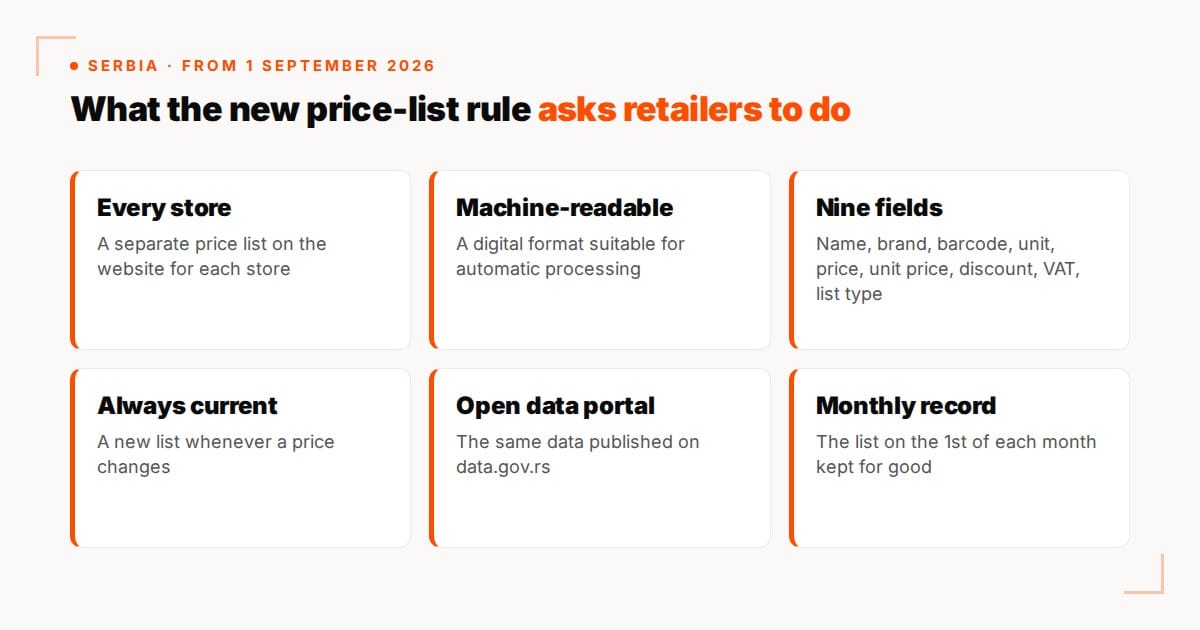
- a price list for every store, published on the retailer’s website
- a machine-readable format that can be processed automatically
- the same set of fields for every product: name, brand, barcode, unit of measure, retail price, unit price, discounted price with promotion dates, VAT rate and type of price list
- the same data on the national Open Data Portal, data.gov.rs, added to the existing dataset without changing earlier entries
- a new list whenever prices change, with the list in force on the 1st of each month kept permanently
For a single shop, this is a spreadsheet. For 166 stores in 89 towns, doing it by hand would mean hours of work after every price change, and a lot of room for mistakes.
Why a custom plugin
Shop and catalogue plugins are built to sell products. What the client needed was narrower and stricter: the same price list published for 166 locations, in a fixed set of columns, straight from the client’s own data.
A small plugin that does exactly that is easier to run and easier to trust than a large one bent into shape. It also fits into the website the client already had, so there was no redesign and no new system for the team to learn.
How it works
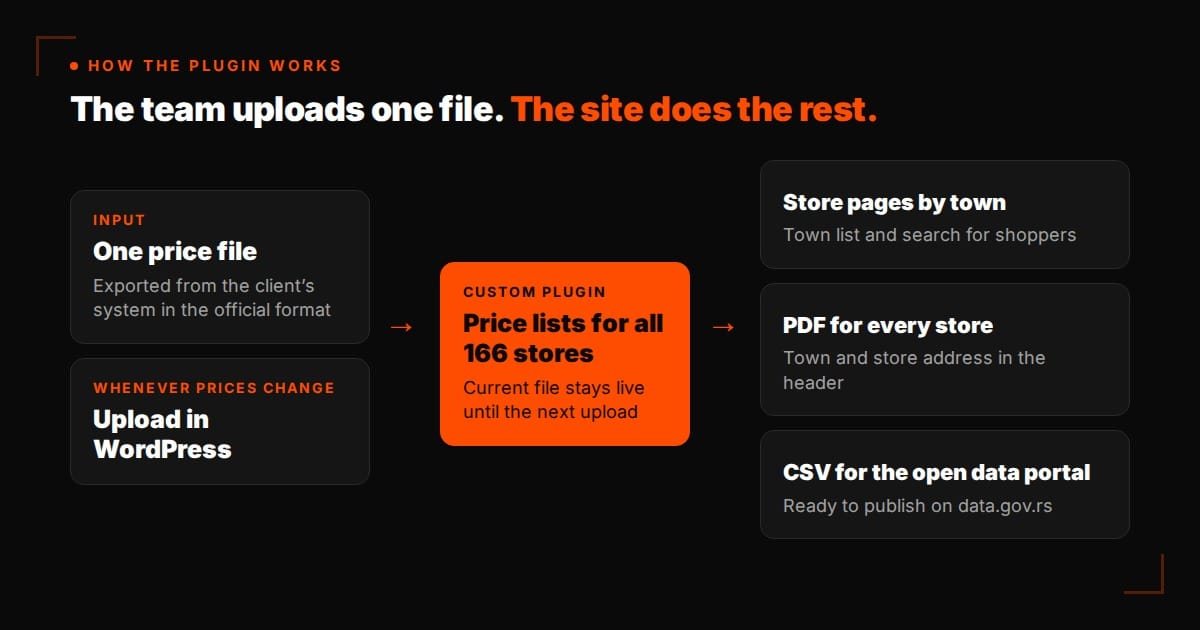
- The client exports the price list from their own system in the official format, with all the columns the rule requires.
- An administrator uploads that one file in the WordPress dashboard. There is nothing else to fill in.
- The website publishes the new list for every store. The current list stays live until the next upload, so the site is never left without prices.
- Shoppers pick their town from a list or search for it, and see the stores there.
- Each store has its own PDF price list to download, with the town and the store’s address in the header.
- The plugin also produces a machine-readable CSV, which the client’s team publishes on data.gov.rs.
The details that matter
- One source for every store. Prices are the same in all 166 stores, so there is one file, not 166. Every store page and every PDF is generated from it, so they can’t drift apart.
- Products sold by the piece. When a product name includes a weight, the product is sold as a piece. The unit of measure is then “piece”, and the unit price is the price of that piece. Treating the weight in the name as the unit would have produced misleading unit prices.
- Official columns, no recalculation. After the first versions, we switched the input to the official format with all its columns, including brand, unit of measure, unit price, VAT rate, category and type of price list. The unit price now comes straight from the client’s file instead of being calculated by the plugin, so the figure on the website is the same figure the client’s system holds.
- A layout shoppers already know. The public page follows the pattern used by large Serbian retail chains: choose a town, find your store, download the list.
Working with the client’s team
We worked closely with the client’s IT team, who manage the price data and the company’s account on the open data portal. For now, they upload the file to data.gov.rs themselves, and they are looking at connecting the portal’s API to their ERP so that this step runs on its own.
Because the website and the portal upload are separate steps, either one can be automated later without changing the other.
The result
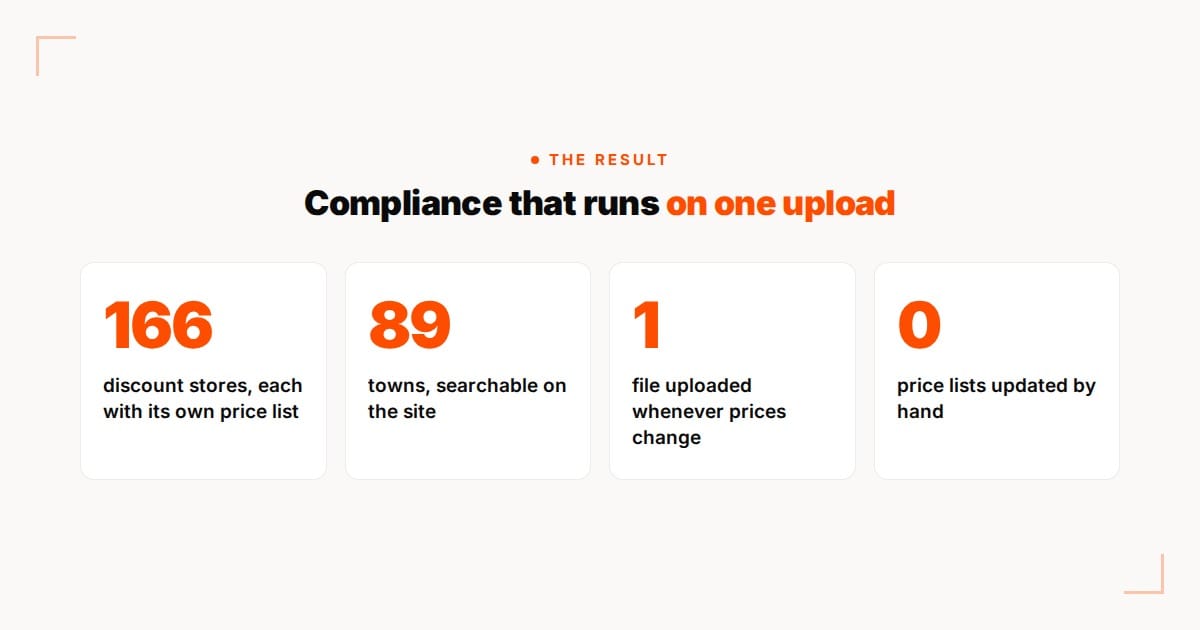
- price lists for all 166 stores on the client’s website, generated from one file
- a town list and search, so shoppers can find their store
- a PDF for every store, with the town and address in the header
- a machine-readable file with the fields the rule asks for
- no store pages to edit by hand when prices change: one upload updates everything

What this means for your business
Most websites are judged by how they look and how many enquiries they bring in. Sometimes the job is different: a legal requirement, a fixed format and a date it has to work by. That is where a small custom plugin often beats a large ready-made one. It does one job, does it the same way every time, and the people who use it only need to know where the upload button is.
If your business has a process that WordPress doesn’t handle out of the box, from price lists to booking rules or custom catalogues, we’ll tell you plainly whether you need a custom plugin or whether something ready-made will do. See our website design and development services.