

Scroll through Instagram or LinkedIn for five minutes and you’ll start recognizing it before you even register why: that faint purple-to-blue gradient, the impossibly smooth skin, the studio lighting that’s a little too perfect, the layout that’s a little too symmetrical. You don’t need a caption to know a graphic came out of an AI tool. At this point, most people can spot it in under a second.
That’s not a knock on AI. We use it constantly — for product photography, for social creative, for a dozen things a small studio budget couldn’t otherwise touch. The problem isn’t the tool. It’s what happens when thousands of brands type roughly the same prompt into roughly the same tool and publish whatever comes out.
Why everything looks the same
Most AI design tools ship with strong defaults — a house style baked into the model that shows up unless you deliberately push against it. Type “modern product photo” or “professional Instagram post for a coffee shop” with no further direction, and you’ll get a specific, recognizable aesthetic: glossy, symmetrical, slightly plastic, built from whatever the model saw most often in training.
When one brand does that, it looks fine. When a few thousand brands do it, all with the same generic prompt and zero brand input, the internet ends up with a wall of content that’s technically different but visually identical. The tool isn’t broken — it’s just being used the same way, by everyone, at the same time.
The real difference isn’t “AI or not AI”
The gap that actually matters isn’t between brands that use AI and brands that don’t. It’s between AI used as a replacement for direction, and AI used as a tool by someone who still supplies that direction.
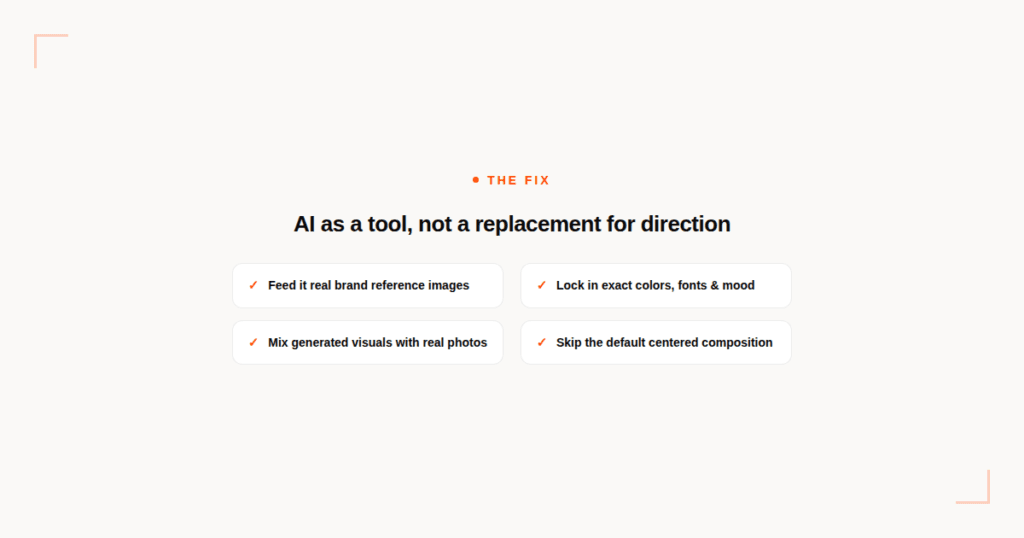
A generic prompt with no brand input will always drift toward the default look. The fix isn’t avoiding the tool — it’s giving it something to work with:
- Feed it real reference images — your actual product, your actual space, your actual color palette — instead of describing things from scratch and hoping the model guesses right.
- Lock in brand specifics in every prompt — exact colors, fonts, mood, lighting style — rather than generic adjectives like “modern” or “clean” that every other prompt also uses.
- Mix generated visuals with real photography. A real photo of your actual product or location, even a simple one, breaks up the “everything is rendered” look that makes AI content easy to spot.
- Edit the output. Crop it, color-grade it, add texture or grain, run it through the same post-production pass you’d give any other asset. Raw model output straight into a post is usually the tell.
- Skip the default composition. Dead-center symmetry, the same three-point studio lighting, the same soft gradient background — these are the model’s comfort zone, not a requirement. Ask for something off-center, cropped tighter, lit differently.
What this actually looks like in practice
None of this means slowing down or spending more on production. It means treating AI the way you’d treat a very fast junior designer: useful for getting something on the page quickly, but not something you publish unedited and unsupervised. The brief still matters. The reference images still matter. The five minutes of adjustment after the first output still matter — and it’s usually the difference between content that gets scrolled past because it looks like everything else, and content that actually looks like it belongs to your brand.
The tools aren’t the problem. Publishing the first thing they hand you is.
If your social content is starting to blend into everyone else’s AI-generated feed, that’s usually a direction problem, not a tool problem — and it’s fixable without giving up the speed AI gives you. Get in touch and we’ll show you what that looks like for your brand.